Quick Answer
A precision electric screwdriver torque chart helps repair users choose safer low-torque ranges for phones, laptops, cameras, game controllers, watches, and small electronics. The chart should be treated as a starting guide, not a fixed rule, because screw size, plastic boss strength, thread condition, bit fit, and device design all change the correct setting.
Introduction
Most damaged screws in electronics repair do not fail because the technician does not know how to turn a screwdriver. They fail because the tool applies too much force, the bit does not seat correctly, or the screw is driven into a plastic post that was never designed for high torque. A small screw can look simple, but in a smartphone, laptop, camera, drone, or smartwatch, it often holds delicate brackets, shields, hinges, battery covers, and compact assemblies.
That is why torque control matters. A precision electric screwdriver should make repair work faster, but it should never remove the technician's judgement. The best workflow combines controlled electric rotation with careful hand feel. A torque chart gives users a practical starting point, while experience decides the final tightening pressure.
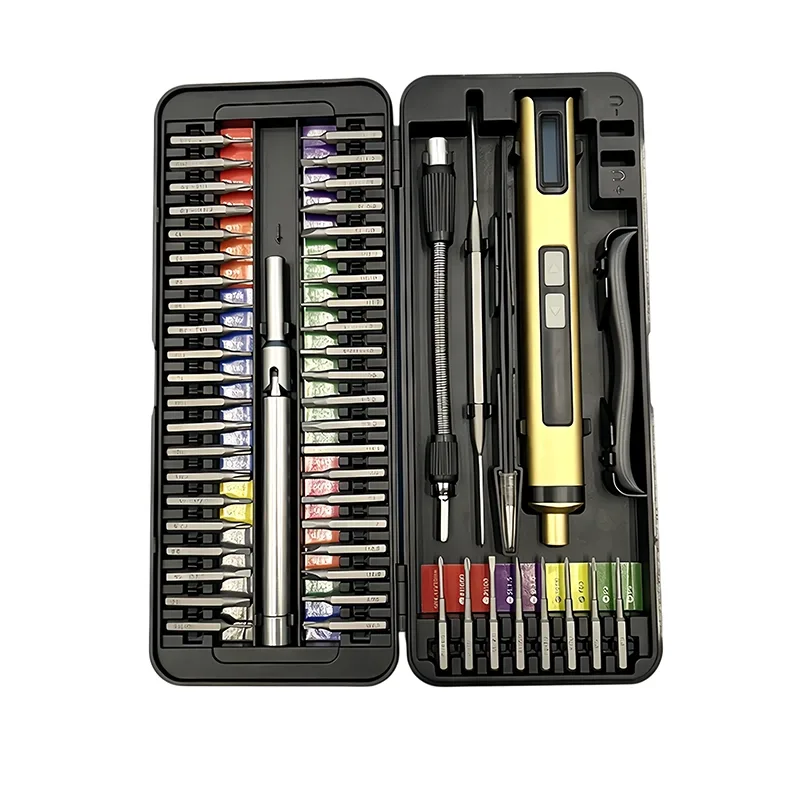
XOENAEN builds precision tools for electronics repair, DIY work, and professional repair programs. As a Professional Precision Tool Brand + Manufacturer operated by Shenzhen ToolQeen Technology Co., Ltd., XOENAEN focuses on practical repair behavior: controlled torque, S2 bit fit, ergonomic handling, organized storage, and product systems that are easier for users and business buyers to trust.
What Is a Precision Electric Screwdriver Torque Chart?
A precision electric screwdriver torque chart is a reference table that connects common electronics repair applications with suggested low-torque behavior. It helps users understand when to use powered rotation, when to slow down, and when to finish tightening manually.
For a full-size drill driver, torque charts often focus on construction materials, wood screws, or metal fasteners. Electronics repair is different. The concern is not driving large screws quickly. The concern is avoiding stripped screw heads, cracked plastic mounting posts, damaged threads, bent brackets, and over-compressed housings.
A useful chart should include application type, screw size or device class, recommended tool behavior, bit selection notes, and risk warnings. It should also remind users that numbers alone are not enough. If the bit wobbles, the screw is dirty, the plastic post is already weakened, or the screw profile is uncommon, the safest setting may be lower than expected.
Why Torque Control Matters in Electronics Repair
Electronics repair is unforgiving because small parts have limited material strength. A plastic screw boss in a phone frame can crack if the screw is overtightened. A laptop hinge screw can feel resistant because of thread wear, not because it needs more force. A camera bracket may sit near a sensor or ribbon cable where slipping creates real damage.
Controlled torque helps reduce four common problems:
- Stripped screw heads caused by poor bit engagement or excessive force.
- Cracked plastic posts caused by overtightening.
- Inconsistent reassembly when screws are tightened unevenly.
- User fatigue during repeated screw removal and installation.
For repair shops, these problems become business issues. A stripped screw slows down service. A damaged housing increases cost. A poor tool experience creates customer complaints when a DIY user buys a kit that looks professional but behaves unpredictably.
A precision electric screwdriver should support repeatable work. It should remove screws efficiently, start screws smoothly during reassembly, and allow manual finishing when delicate control matters. This is where a torque chart becomes valuable: it gives technicians, DIY users, distributors, and product managers a shared language for safer repair work.
Practical Torque Chart for Common Repair Work
The following chart is a practical guide for choosing behavior, not a universal mechanical specification. Always check the device service information when available, and always reduce torque when the screw, thread, or plastic structure feels weak.
| Application | Typical Repair Area | Recommended Tool Behavior | Professional Note |
|---|---|---|---|
| Smartphone repair | Shields, brackets, battery covers | Use low torque and finish by hand | Avoid forcing screws near camera and board areas |
| Laptop repair | Bottom cover, fan, SSD brackets | Use controlled electric removal; gentle reinstall | Keep screw lengths organized by location |
| Game controller repair | Shell screws, trigger brackets | Use low to medium-low torque | Plastic posts can crack if overtightened |
| Camera repair | Housing screws, small brackets | Use low torque and precise bit fit | Stop immediately if bit slips |
| Watch repair | Tiny case and bracket screws | Prefer very low torque or manual finishing | Tool balance matters more than speed |
| Drone repair | Prop guard, shell, module screws | Use controlled speed and low torque | Check thread condition after impacts |
| DIY electronics | Keyboards, toys, small appliances | Start low and increase only if needed | Avoid using high-power household drivers |
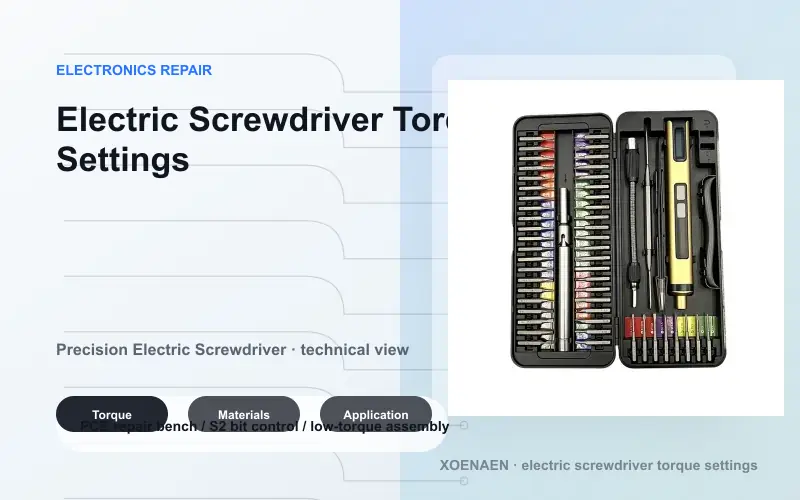
Technical Explanation: Torque Is Only One Part of the System
Torque is the rotational force applied to the screw. In electronics repair, the ideal torque is usually low and controlled. But a torque number does not work alone. The real result depends on motor behavior, gear stability, bit quality, screw profile, grip alignment, and user pressure.
Bit fit is one of the biggest variables. A quality S2 steel bit with accurate geometry can transfer torque cleanly. A poorly shaped bit, even if it is hard, may cam out and damage the screw. For tiny screws, the bit must seat deeply and stay aligned before the motor starts turning.
Speed also affects safety. A high-speed start can make the bit jump out of a shallow screw. Smooth startup is more useful than aggressive power. A precision electric screwdriver should feel predictable at the beginning of rotation, especially when reinstalling screws into plastic housings.
Battery output matters as well. A weak or unstable battery can make the tool inconsistent, causing the user to add extra pressure. A stable cordless design helps maintain predictable movement across multiple repair sessions.
The final factor is hand feel. Even with an electric tool, the user should sense when the screw is seated. Many professionals use electric rotation for speed, then finish manually. This hybrid workflow is often safer than trying to let the motor do everything.
Key Factors To Consider Before Choosing Torque Settings
Start with the device, not the tool. Smartphones, laptops, watches, cameras, and controllers use different screw sizes, materials, and plastic support structures. A setting that feels safe for a laptop bottom cover may be too aggressive for a phone bracket.
Check the screw condition. If the screw head is worn, dirty, painted, or slightly stripped, lower torque and better bit fit are essential. More power usually makes the problem worse.
Match the bit profile carefully. Pentalobe, Torx, Phillips, Tri-wing, Hex, and Slotted bits must be chosen by exact fit, not by visual guess. A near-fit bit can damage the screw faster than a low-quality tool.
Pay attention to plastic posts. Many electronics screws fasten into plastic, not metal. Plastic can fatigue after repeated repair cycles. When reinstalling into plastic, use low torque and stop as soon as resistance rises.
Organize screw length. Using the wrong screw in the wrong hole can damage boards, screens, or housings. A precision screwdriver kit should support not only bit selection but also cleaner repair workflow.
Professional Tip: If the screw suddenly stops before sitting flush, do not increase torque. Remove it, inspect the thread, confirm screw length, and restart by hand.
Comparison: Low Torque vs High Torque in Precision Repair
High torque looks attractive in product listings, but it is rarely the most important selling point for electronics repair. Precision tools are about control, not brute force. A high-torque tool can remove stubborn screws, but it can also strip heads and damage weak plastic structures if the user is not careful.
Low torque is safer for most electronics work because it limits sudden force. It gives the user time to respond and reduces the risk of overtightening. For small screws, predictable low torque is often more useful than a high maximum torque rating.
Manual screwdrivers still matter because they provide tactile feedback. Electric screwdrivers reduce fatigue and improve speed, while manual finishing protects delicate parts. The best repair bench often uses both.
| Factor | Low-Torque Precision Electric Screwdriver | High-Torque General Driver |
|---|---|---|
| Best Use | Electronics repair and small assemblies | Furniture, household fastening, larger screws |
| Risk Level | Lower risk when used correctly | Higher risk for small electronics |
| User Control | Better for delicate parts | More difficult near plastic posts |
| Speed Benefit | Strong for repeated small screws | Too aggressive for tiny fasteners |
| Final Tightening | Often finished by hand | Often motor-driven |
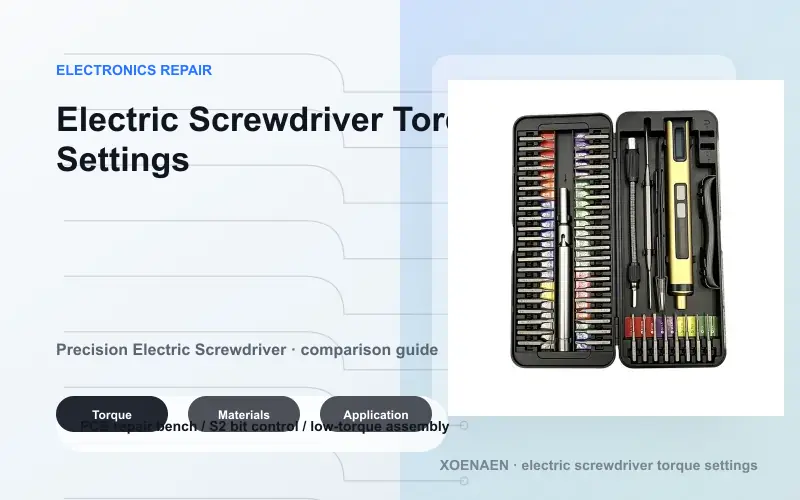
Applications Across Repair and DIY Work
Smartphone repair needs small bits, low torque, and careful handling near brackets, battery shields, and camera areas. A precision electric screwdriver helps remove repeated screws quickly, but final tightening should remain gentle.
Laptop repair often includes many screws with different lengths. Electric assistance saves time, while organization prevents long screws from being installed in short holes. This is especially important for bottom covers, fans, hinges, SSD brackets, and battery areas.
Camera repair requires stable alignment because small screws may sit near optical and electronic components. A slipping bit can scratch surfaces or damage a bracket. Bit quality and slow startup are essential.
Watch repair and small device repair demand very fine control. In these situations, tool balance, bit accuracy, and manual finishing matter more than speed.
DIY electronics users benefit from a controlled cordless screwdriver because it makes projects less tiring and more approachable. Keyboards, drones, controllers, small appliances, toys, and hobby electronics all benefit from a compact tool that does not behave like a heavy drill.
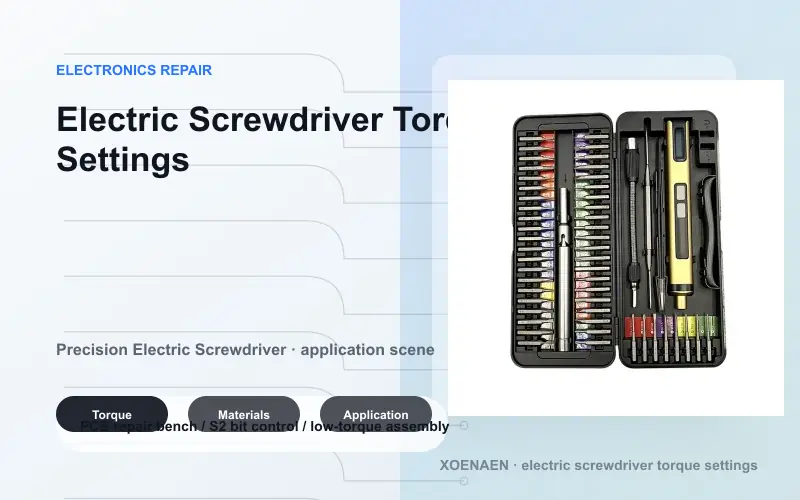
How XOENAEN Builds Better Torque-Controlled Repair Solutions
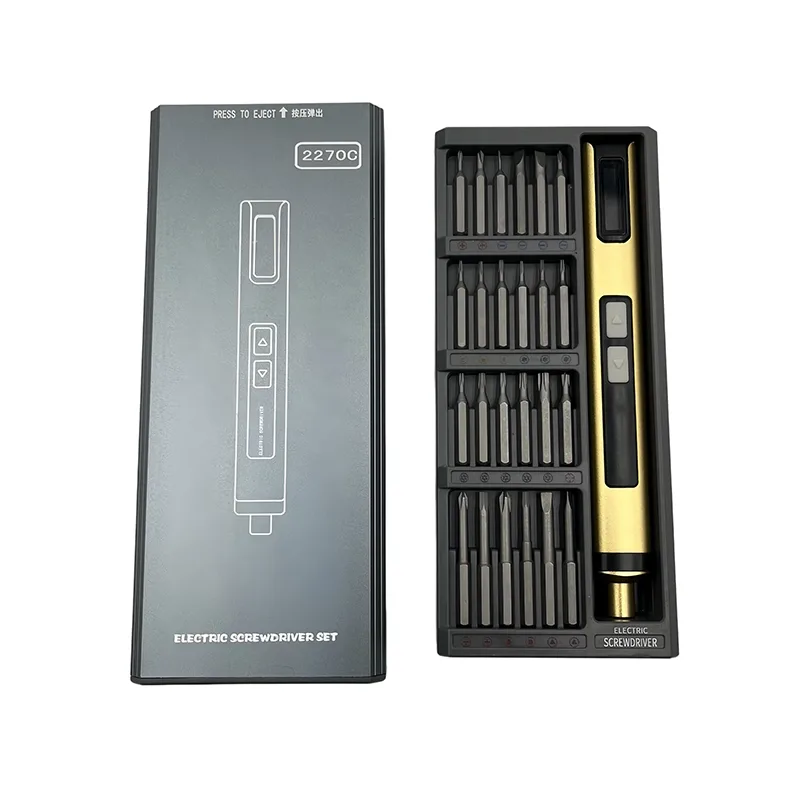
XOENAEN approaches torque control as part of a complete repair system. A reliable driver body is important, but so are S2 steel bits, bit storage, LED lighting, button feel, charging convenience, product documentation, and use-case clarity.
For end users, this means a tool should be easy to hold, easy to charge, and easy to control. For repair professionals, it should support repeated work without becoming tiring. For business buyers, the product must be clear enough to position in retail, ecommerce, and professional repair categories.
XOENAEN's category structure supports different levels of repair work:
- Electric Screwdrivers for controlled cordless repair workflows.
- Precision Screwdriver Kits for bit coverage and manual finishing.
- Knowledge Center for tool education and professional selection guidance.
- Technology for material, structure, and performance explanations.
Factory Insight: Practical quality control should include switch response, rotation stability, bit fit, charging function, LED placement, accessory count, case retention, packaging protection, and a real repair workflow check. Visual inspection alone is not enough for a precision repair tool.
Business Buyer Notes: What Distributors Should Check
Distributors and retail buyers should evaluate more than product appearance. A good precision electric screwdriver program should answer common buyer questions before they become product returns.
Check whether the product page explains torque behavior clearly. Users should understand that the tool is designed for controlled precision repair, not heavy-duty construction fastening.
Review packaging and accessory layout. If customers cannot identify the right bit quickly, the kit will feel less professional. Clear labeling, durable bit storage, and strong visual product guidance improve user satisfaction.
Look for category fit. A product for electronics repair should be positioned differently from a generic household electric screwdriver. Better positioning improves CTR, conversion, and review quality because users know what the tool is designed to do.
Finally, make sure the brand can support long-term product education. Blog content, FAQ pages, product guides, and internal links help customers choose correctly and help search engines understand the brand's expertise.
FAQ
What torque setting should I use for phone repair?
Use the lowest controlled torque that can move the screw smoothly, then finish tightening by hand. Phone screws are small and often fasten near fragile plastic or board areas, so aggressive torque is risky.
Can a precision electric screwdriver strip screws?
Yes, any screwdriver can strip screws if the bit does not fit, the tool is misaligned, or torque is too high. Use the correct bit, keep the driver straight, and reduce torque when the screw head feels worn.
Is S2 steel better for precision screwdriver bits?
S2 steel can be a strong choice for precision bits when heat treatment and tip geometry are well controlled. Material alone is not enough; the bit must match the screw profile accurately.
Should I use electric or manual tightening for laptops?
Use electric rotation for efficient screw removal and gentle starting during reassembly. For final tightening, manual feel is safer, especially around plastic posts, hinges, and internal brackets.
Why do electronics repair tools need low torque?
Small screws and plastic housings cannot handle the same force as furniture or construction fasteners. Low torque helps reduce stripped screws, cracked posts, and uneven reassembly.
Can businesses source torque-controlled tools from XOENAEN?
Yes. XOENAEN supports precision electric screwdriver and repair tool solutions for professional users, distributors, and business cooperation. Contact the XOENAEN business team for product information.
Conclusion
A precision electric screwdriver torque chart is not a rigid rulebook. It is a repair bench guide that helps users start safer, think more clearly, and avoid the common mistake of using too much force on small electronics. The right setting depends on the device, screw condition, bit fit, plastic structure, and technician judgement.
For electronics repair, the best tool is controlled, predictable, and supported by the right bit system. XOENAEN designs precision tools around real repair behavior: stable low-torque use, S2 bit coverage, organized kits, ergonomic handling, and business-ready product systems.
Explore XOENAEN electric screwdrivers, compare precision screwdriver kits, or contact XOENAEN to discuss repair tool solutions for professional users and global business programs.