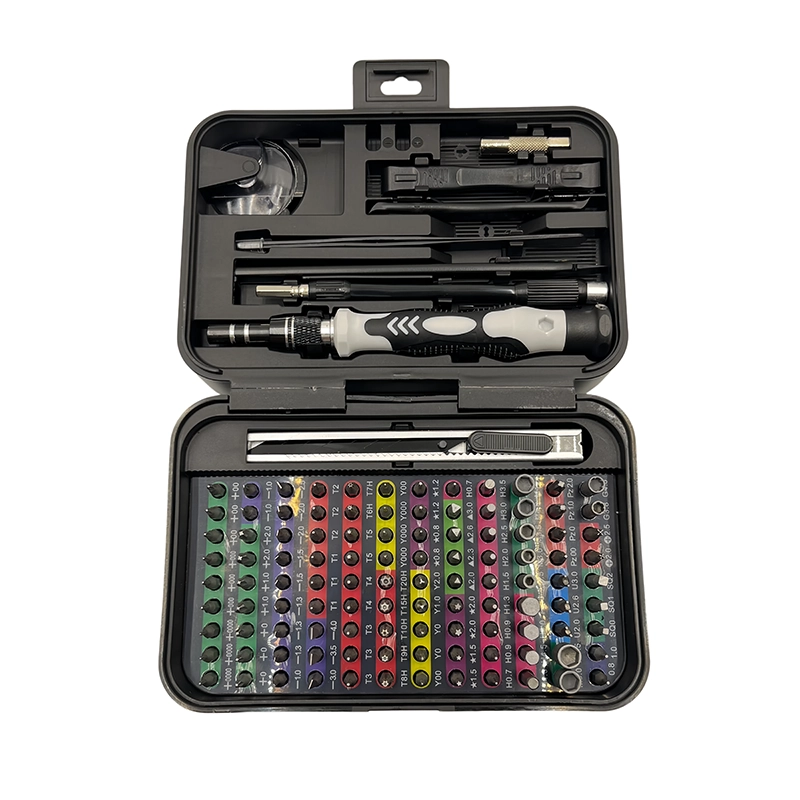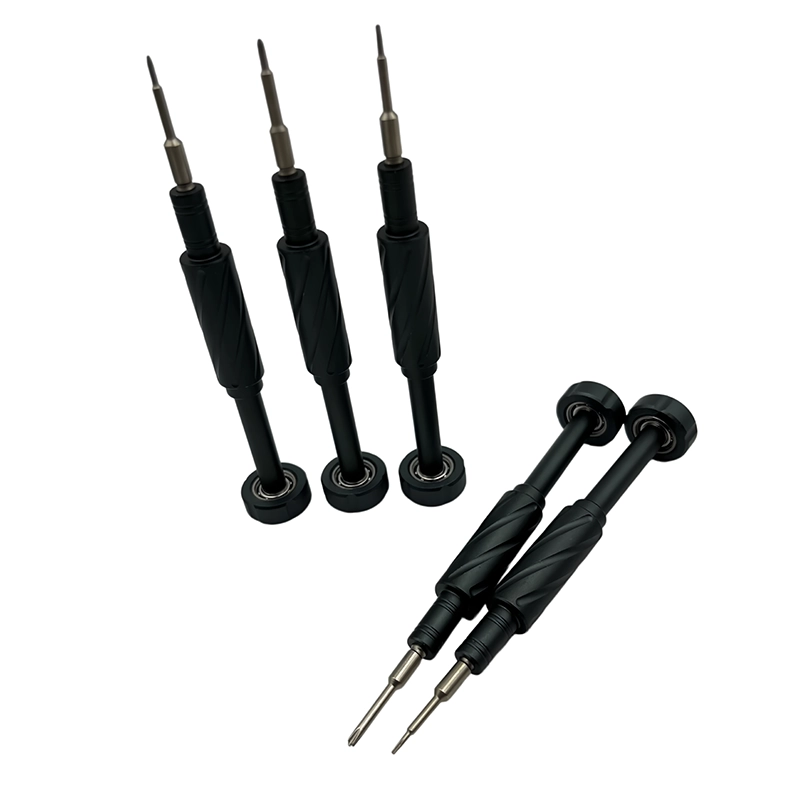
Choose a manual screwdriver set with a stable rotating cap, a straight shaft, accurate Phillips profiles, useful extension reach, and organized storage. For a desktop PC, bit fit and access around coolers, drives, and case edges matter more than a very high piece count. Start every screw by hand and stop when the component is secure.
Desktop PC screwdriver set
A manual driver and bit selection matched to computer case, motherboard, storage, power-supply, and cooling fasteners without relying on powered momentum.
What makes this manual screwdriver task different?
Desktop PC work mixes broad case access with cramped areas beside graphics cards, tower coolers, cable channels, and drive cages. Most screws are not exceptionally small, but a skewed approach can slip into a board or scratch a finished panel. The useful set therefore combines a comfortable handle with extensions and a small, verified profile map. The first decision is therefore not how much force the handle can deliver, but whether the service task, device condition, and operator authorization are clearly understood. Keep the manufacturer’s instructions, the actual fastener, and the surrounding parts in view before selecting a bit.
A manual driver gives useful tactile feedback only when the workpiece is supported and the tip remains fully engaged. For first-time builders, PC technicians, system integrators, and DIY upgraders, that means treating access, visibility, screw identity, and reassembly records as part of the tool choice rather than as optional bench habits.
Which technical factors matter most?
Check full recess engagement, shaft straightness, extension wobble, handle clearance, and whether a retained screw can be placed without dropping it across the motherboard. Magnetic assistance can be convenient, but the builder still needs deliberate screw control and must follow component-maker service instructions. A large handle can improve grip yet become awkward near a tall heatsink. Evaluate the complete installed system: handle, cap, holder, bit, fastener, access path, and work support. A premium material name or a high accessory count cannot compensate for partial recess contact or an unsafe service sequence.
For manual screwdriver set for desktop PC building, any drawing, service manual, torque specification or safety rule takes priority over general hand-tool guidance. Record the exact model, the condition described by the common mistake is treating every cross-head screw as the same size. a bit that contacts only the upper edges can cam out, while a long extension held off-axis can damage a board or cosmetic panel. and the configuration used by first-time builders, PC technicians, system integrators, and DIY upgraders. A revision can change fastener length, cable routing, sealing or authorized access, so the retained record must identify the actual article-specific task.
What workflow keeps the repair controlled?
1. Disconnect power, move the case to a stable, well-lit surface, and read the case and component manuals before removing panels. This preparation stage prevents the screwdriver from becoming the first tool used on an unidentified joint.
2. Sort motherboard, storage, power-supply, and case screws separately; test the bit on a loose representative fastener before working above a board. Place each removed fastener into a position-based map immediately rather than relying on memory or one mixed container.
3. Start each screw counterclockwise until the thread drops into place, turn it by hand, tighten in an even pattern, and inspect cables before closing the case. Final inspection should confirm the joint, surrounding parts, and complete device function required by the manufacturer; a closed case alone is not proof of a successful repair.
How should buyers compare a manual screwdriver set?
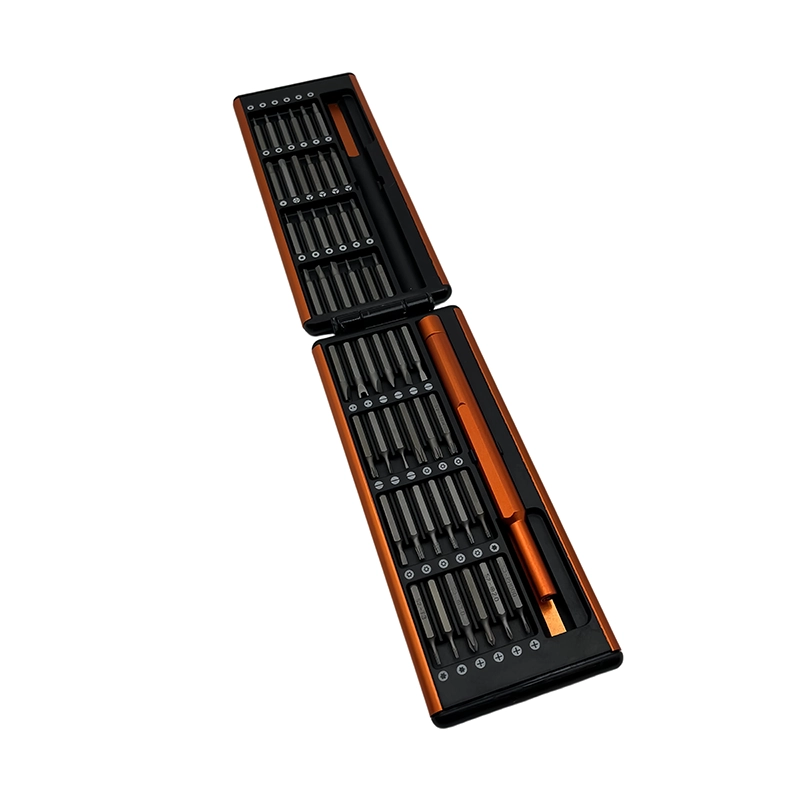
Compare candidates on verified profile fit, working reach, installed-bit stability, handle access, cap behavior, storage, labels, replacement support, and performance on representative fasteners. Buy for the systems you actually build. A compact set with accurate common bits, one stable extension, and clear labels usually creates more value than a case filled with duplicate profiles. For a branded PC-service kit, document supported fastener families, excluded torque-critical work, storage layout, and replacement-bit availability.
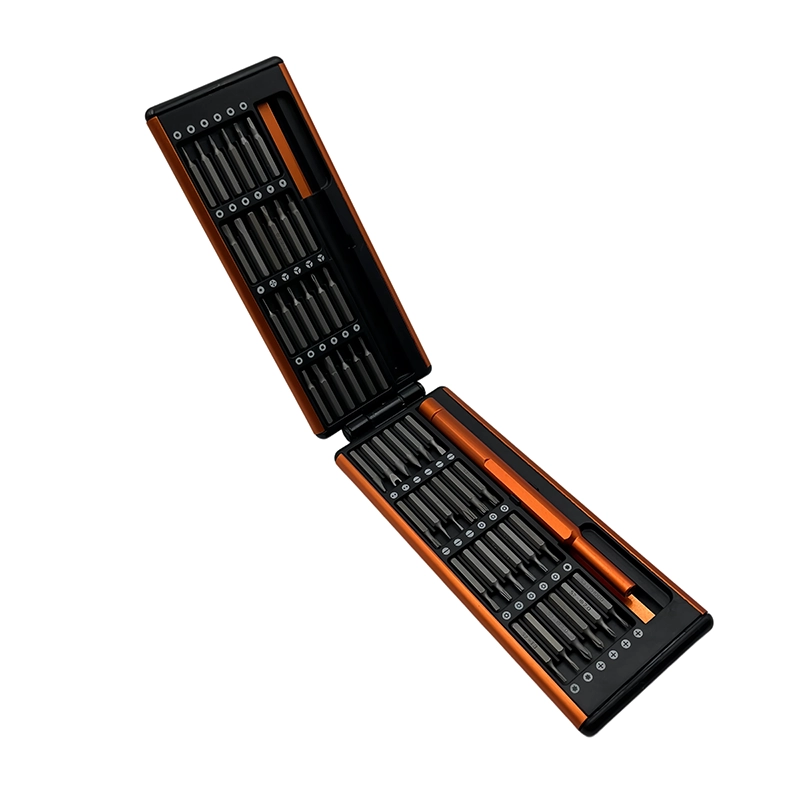
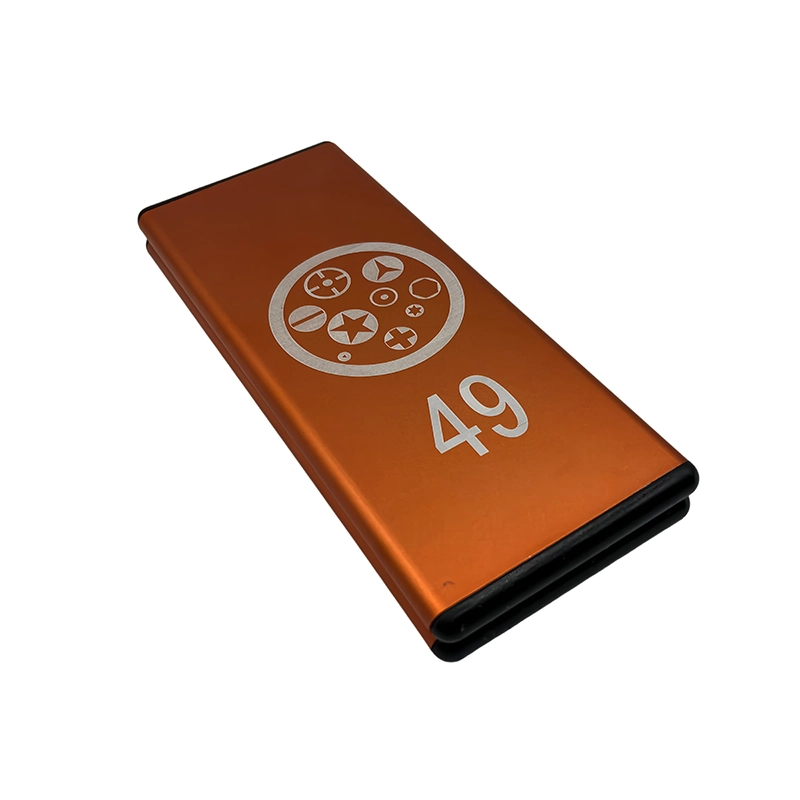
For a wholesale or private-label manual screwdriver set for desktop PC building project, freeze the bit map and case layout around this recommendation: Buy for the systems you actually build. A compact set with accurate common bits, one stable extension, and clear labels usually creates more value than a case filled with duplicate profiles. For a branded PC-service kit, document supported fastener families, excluded torque-critical work, storage layout, and replacement-bit availability. Link the physical 49-in-1 manual precision screwdriver set sample, specification, product images, packaging text and the task-specific inspection criteria to one revision so the claim remains tied to the configuration that will ship.
What failure signs mean stop rather than push harder?
The common mistake is treating every cross-head screw as the same size. A bit that contacts only the upper edges can cam out, while a long extension held off-axis can damage a board or cosmetic panel. The operator should preserve the remaining screw geometry and surrounding device instead of converting uncertainty into more force.
Stop if the bit rocks, the screw does not start with light finger force, the board bends, or the required torque rises unexpectedly. Recheck screw type, length, alignment, and the component manual before continuing. Document the condition when the job is handed off. A clear stop rule protects the customer’s device and gives a qualified technician better options than a head damaged by repeated attempts.
How does this apply in a real repair?
During a motherboard installation, place all board screws loosely before final tightening so the board remains aligned with the standoffs and rear I/O opening. For an M.2 cover or tiny retention screw, change to the correctly fitted smaller profile rather than trying to make the case bit perform both jobs. Use the actual device instructions and representative hardware to confirm the method. Similar-looking screws can have different length, pitch, shoulder, coating, sealing, or grounding roles.
The buying decision for manual screwdriver set for desktop PC building should cover check full recess engagement, shaft straightness, extension wobble, handle clearance, and whether a retained screw can be placed without dropping it across the motherboard. magnetic assistance can be convenient, but the builder still needs deliberate screw control and must follow component-maker service instructions. a large handle can improve grip yet become awkward near a tall heatsink. without encouraging force outside the defined task. Keep an exception path for the condition in stop if the bit rocks, the screw does not start with light finger force, the board bends, or the required torque rises unexpectedly. recheck screw type, length, alignment, and the component manual before continuing.; that path may require a different bit, opening tool, specified torque method, rated electrical tool, battery process or qualified specialist rather than a larger general-purpose set.
What does the XOENAEN catalogue add to the decision?
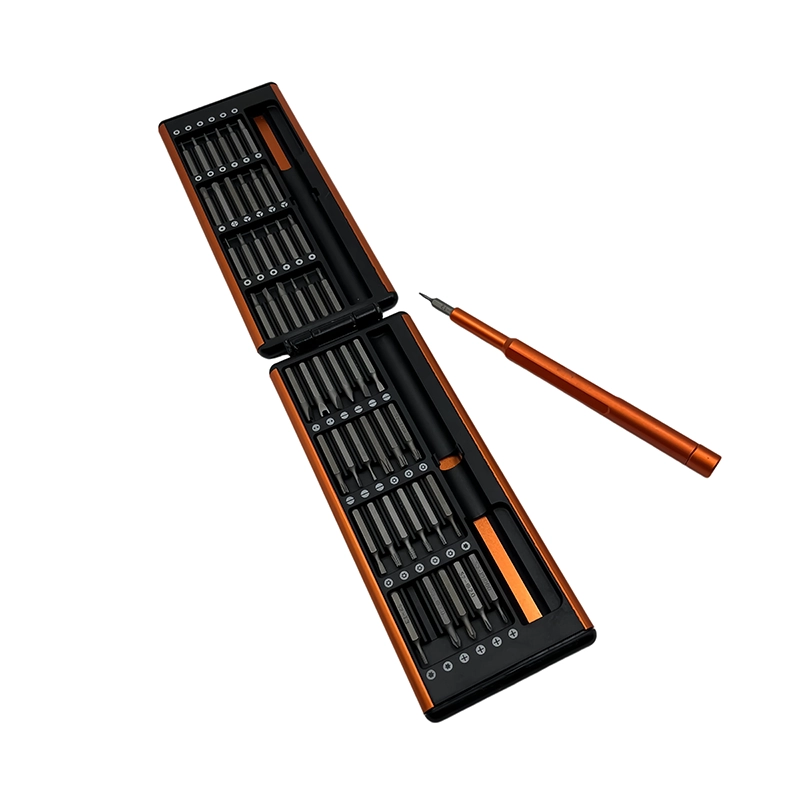
The current XOENAEN catalogue includes the 49-in-1 manual precision screwdriver set, the real product reference used for manual screwdriver set for desktop PC building. Its photography and model record can anchor the buyer brief for during a motherboard installation, place all board screws loosely before final tightening so the board remains aligned with the standoffs and rear i/o opening. for an m.2 cover or tiny retention screw, change to the correctly fitted smaller profile rather than trying to make the case bit perform both jobs. Catalogue evidence does not establish universal device compatibility; the actual fastener, access path, stop rule and order-specific sample still determine approval.
A desktop PC kit should be evaluated as an access-and-control system: the correct tip must remain square at the screw after the handle, extension, nearby components, and operator hand position are all considered. Share target devices, fastener photos, required profiles, access constraints, market, quantity, packaging, and verification needs through the XOENAEN project enquiry so the product and evidence can be aligned before production.
PC-building driver choices
| Option or condition | Best use | Main caution |
|---|---|---|
| Fixed full-size driver | Fast on open case screws | Limited on recessed or specialty profiles |
| Multi-bit precision handle | Broad profile coverage and controlled hand starts | Requires attention to bit seating |
| Long extension | Reaches beside coolers and drive cages | Can add wobble if poorly fitted |
- Map the case and component screw profiles
- Check extension reach beside the CPU cooler
- Verify bit seating on representative screws
- Choose labeled, secure storage
- Confirm a comfortable handle diameter
- Keep a screw-sorting method with the kit
- 49-in-1 manual precision screwdriver set product page →
- Browse manual screwdriver products →
- Plan an OEM or private-label project →
- Review XOENAEN manufacturing and quality →
- Read XOENAEN tool FAQ answers →
- Related guide: manual-screwdriver-for-laptop-upgrades →
- Related guide: manual-driver-bit-fit-small-screws →
- How XOENAEN presents quality evidence →
What screwdriver profile is most common in desktop PCs?
Phillips profiles are common, but the exact size varies. Check the case and component manuals and verify full recess engagement before turning any fastener.
Should a PC-building screwdriver be magnetic?
A magnetic holder can help retain screws. Use it deliberately, keep loose hardware controlled, and follow the component manufacturer’s handling guidance.
Do I need a long screwdriver for a PC?
A long shaft or stable extension is useful near tower coolers and drive cages. It should remain straight and fully seated rather than adding noticeable wobble.
How tight should motherboard screws be?
They should be secure without bending the board or crushing a mounting point. Follow the hardware maker’s instructions and stop when the joint is seated.
Can one bit fit case and M.2 screws?
Not reliably. Compare each recess because a small retention screw often needs a different profile or size from a case screw.
What is the best way to avoid losing PC screws?
Separate and label screws by component as they are removed. A compartment tray or screw map prevents wrong-length substitutions during reassembly.