For document-scanner ADF roller-module service, confirm the exact product, authorized service boundary, safe power state and fastener map before selecting a bit. Support the assembly, use a full-fitting tip, preserve each screw position and rebuild the non-fastener stack before seating hardware. Stop when fit, alignment or resistance changes, then verify every affected function through the maker's documented process.
document-scanner ADF roller-module service manual screwdriver workflow
document-scanner ADF roller-module service manual screwdriver workflow is a controlled process for defining the service boundary, matching a full-fitting bit, recording every hardware layer, rebuilding the complete joint stack, recognizing a stop condition and verifying affected functions without using extra hand force as a substitute for model-specific instructions.
What customer problem does document-scanner ADF roller-module service actually solve?
What manual screwdriver workflow keeps an automatic document feeder's rollers, springs, sensors and cover screws in order? That question is narrower and more useful than asking whether a large manual screwdriver set can “repair” the entire product category. The fastener task begins only after the owner or technician has identified the model, preserved data where relevant and separated a mechanical joint from an electrical, optical, battery or software fault. Write the present symptom and the expected post-service check before choosing a bit. This prevents a visible screw from becoming a false diagnosis and gives the final inspection a clear purpose.
Follow the scanner maker's jam-clearing and consumable-replacement instructions first. The screwdriver stage applies only to a removable feeder cover or roller module documented for service, not to glass calibration, high-voltage power sections or an unknown spring-loaded mechanism. This boundary matters in European and North American repair markets because a product can contain ordinary screws beside parts that demand training, controlled disposal, calibration or maker authorization. A manual tool improves tactile feedback; it does not remove those obligations. If the current instructions, parts status or hazard controls do not support the requested operation, the honest answer is to stop or narrow the task rather than invent a broadly compatible repair route.
What preparation makes document-scanner ADF roller-module service repeatable?
Unplug the scanner, remove paper and allow moving parts to stop. Record the exact model, roller orientation, spring anchor and sensor-flag position with close photographs, then create distinct map zones for cover, module and any ground or cable clamp. Preparation produces the reference needed for reassembly and for another person to audit the work. Take orientation photographs as well as close details, assign each fastener a position and keep hardware from adjacent modules in different rows. If the product has several revisions, use the full identifier rather than the retail family name. Revision mistakes create more rework than a small difference in the number of bits carried in the case.
Build the bench around the actual hazards and loose-part size. A stable padded fixture keeps the driver hand from also holding the product, while raking light reveals recess fit and trapped materials. Apply ESD controls around exposed boards and preserve the manufacturer's battery, mains, optical, adhesive and data rules. For document-scanner ADF roller-module service, decide where the part will rest after its last screw is removed; that simple choice prevents cables, springs and unsupported covers from becoming the next failure.
Which manual bit and handle fit document-scanner ADF roller-module service?
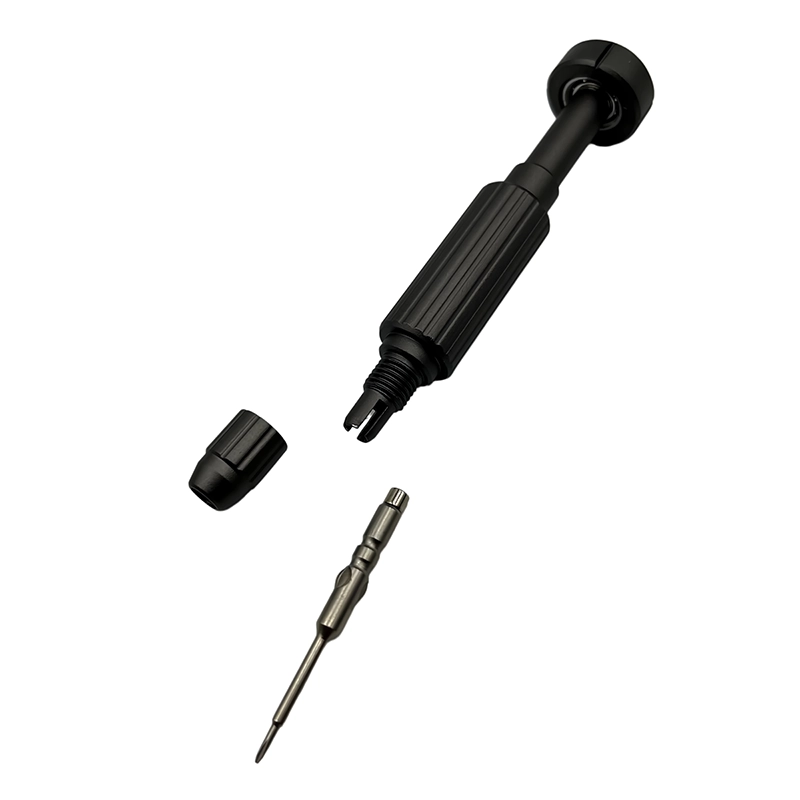
For document-scanner ADF roller-module service, start with the actual fastener, not a size remembered from a similar device. Clean and illuminate the recess, compare likely profiles under magnification and choose the tip that fills the shape at full depth with minimal rotational play. Confirm that the bit shoulder and holder clear surrounding surfaces through the useful turn. A longer bit helps only when it stays square; otherwise extra reach becomes extra lean and places one edge of the recess under a damaging load.
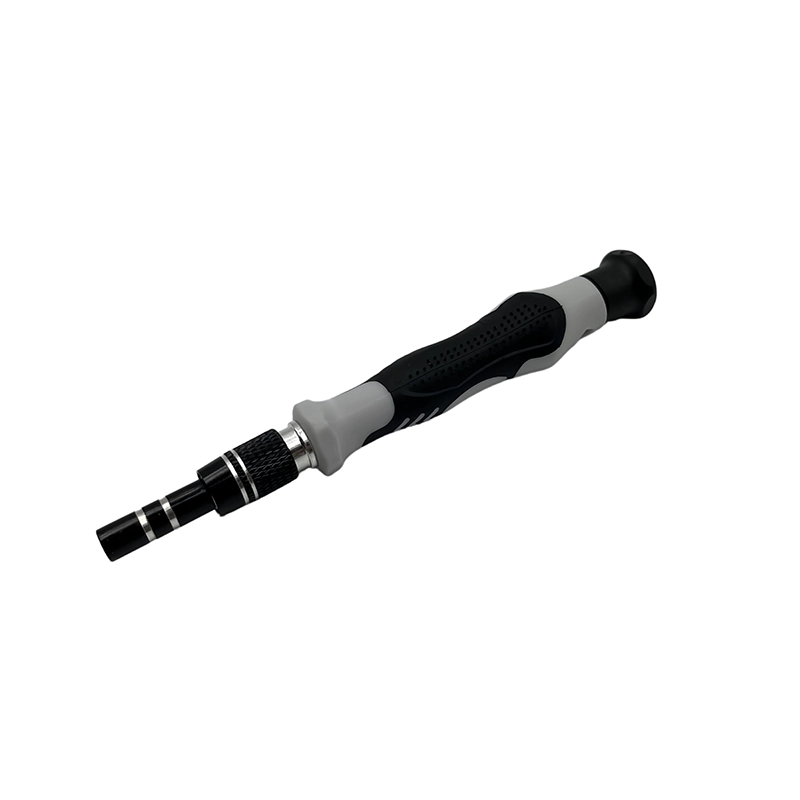
Handle diameter controls how quickly finger force becomes torque. For document-scanner ADF roller-module service, a modest grip and free rotating cap usually make alignment easier than a high-leverage handle. Use enough downward force to keep a fully fitted bit seated, but never use pressure to compensate for a rocking tip. Magnetism may retain ferrous screws, yet it should be evaluated around sensors, magnets and loose metal. Record profile, working length, holder play and the stop response as one selection decision.
How is the fastened stack arranged in document-scanner ADF roller-module service?
An ADF uses pickup and separation rollers, shafts, springs, paper sensors and narrow cable routes under a light plastic cover. Similar screws can enter different bosses, while a free spring or sensor flag may move as soon as the module is unclamped. Treat that arrangement as a stack rather than a group of independent screws. Locators, washers, contacts, seals, spacers, films, cables and moving pieces establish the geometry before a fastener adds clamp load. Photograph the untouched stack from more than one angle and note which parts become free after each layer is removed. A two-dimensional tray is useful, but a layer label and removal step make it much harder to return a familiar-looking screw to the wrong depth.
During document-scanner ADF roller-module service, observe what carries load and what merely covers or guides another part. The correct bit can still cause damage if the workpiece bends, the shaft touches an edge or the operator uses the screw to pull two misaligned components together. Place support near the joint, leave the second hand free to control the released part and keep magnetic pickup, loose hardware and metal debris appropriate to the electronics around the work zone.
What removal sequence controls document-scanner ADF roller-module service?
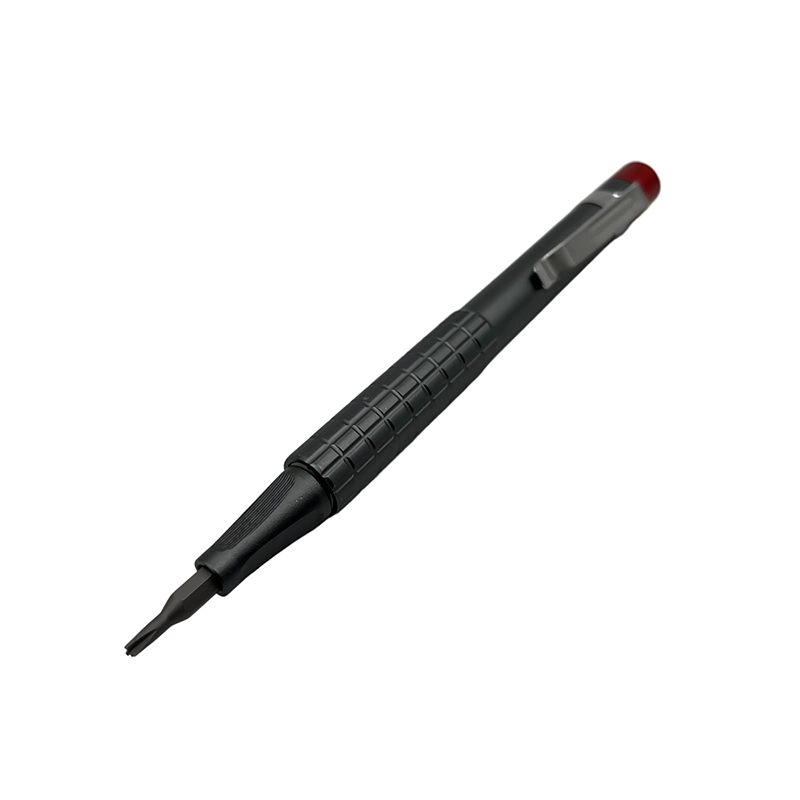
Open the feeder only to its supported service position, release documented covers and hold the roller module before its final fastener. Transfer each screw directly to the map and capture springs or washers in a clear parts box rather than over the scanner glass. Breakaway should be smooth and deliberate. If a wide cover uses several positions, loosen them progressively so stored load does not move to one corner. Transfer the fastener directly to its map rather than creating a temporary pile. Before the last screw leaves, ask which part is about to move, what remains tethered and where it will be supported. This short pause is especially valuable in thin electronics whose shell can open farther than a flex cable allows.
Never “search” for a hidden screw with force. Recheck labels, feet, documented clips and the layer map if a part stays attached. During document-scanner ADF roller-module service, a release that changes resistance, angle or alignment is information. Preserve it by stopping, photographing the condition and identifying the cause. A larger handle, improvised extractor, heat or chemical belongs to a separate approved recovery plan, not an automatic next step on a delicate assembly.
Which risks and stop signs matter most in document-scanner ADF roller-module service?
A reversed roller, missing spring or trapped sensor flag can create double feeds and false jams. A long screw can enter the mechanism, and debris falling onto optics can reduce scan quality even though the feeder closes correctly. Put these risks in the work instruction rather than hiding them behind a general phrase such as “use carefully.” A bit may match the head but remain unsuitable because access is angled, the screw belongs to another layer or the part lacks support. Similarly, a cover can look closed while a contact, gasket, spacer or wire remains wrong underneath. Application safety depends on the complete joint and service context, not the presence of a manual handle.
The explicit stop rule is: Stop if a spring anchor is broken, a gear is timed or preloaded beyond the available instructions, the feeder cannot remain supported, the scanner glass is exposed to loose hardware or a mains section must be opened. When that condition appears, keep the hardware map unchanged and record the product, position, tool and observed behavior. Escalation preserves diagnostic evidence and usually costs less than damage caused by one more turn. It also prevents an operator from turning an unknown state into a confident but unsupported compatibility, durability or repair-success claim.
How should document-scanner ADF roller-module service be rebuilt without screw force?
Install shafts, rollers and springs in their original direction, check that sensor flags return freely and route cables away from gears. Place the cover on its locators, start every screw and alternate seating without crushing the paper path. The practical rule is that the stack should reach its locators before the screwdriver supplies final seating. Restore cables, contacts, washers, seals and guides first, then place the cover or bracket and check its entire edge. Start each screw by fingertips or the lightest cap control. Back out immediately if resistance appears before normal engagement, because cross-threading and wrong-depth hardware can feel deceptively firm at the handle.
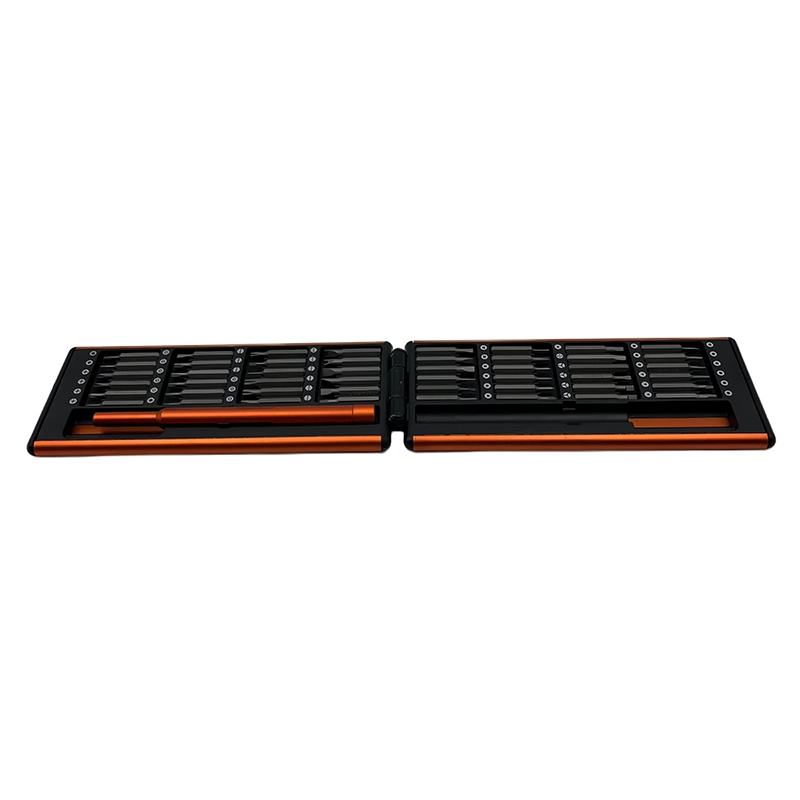
Across a broad or flexible part, alternate opposite positions so contact develops evenly. Do not fully tighten one corner while another is still floating, and do not use a screw to flatten a trapped cable, wrinkled film or distorted enclosure. In document-scanner ADF roller-module service, final seating means removing designed clearance without changing the part's shape. Reinspect moving controls, cable paths and seams before the last increment, while the assembly can still be corrected without another full teardown.
What should Western-market buyers compare for document-scanner ADF roller-module service?
A field kit should provide exact profiles, useful reach, screw retention and a case that contains tiny springs. Buyers should pair tool claims with the supported scanner models and service boundary rather than call one set suitable for every printer or scanner. Begin a buyer brief with target products, users and real fastener profiles. Add working length, handle geometry, storage labels, replacement-bit availability, packaging language and the representative sample plan. Compare the actual released sample rather than a rendering or a material name alone. When handle, holder, bit, case, markings or pack-out changes, update the approval record so the listing still matches what will ship.
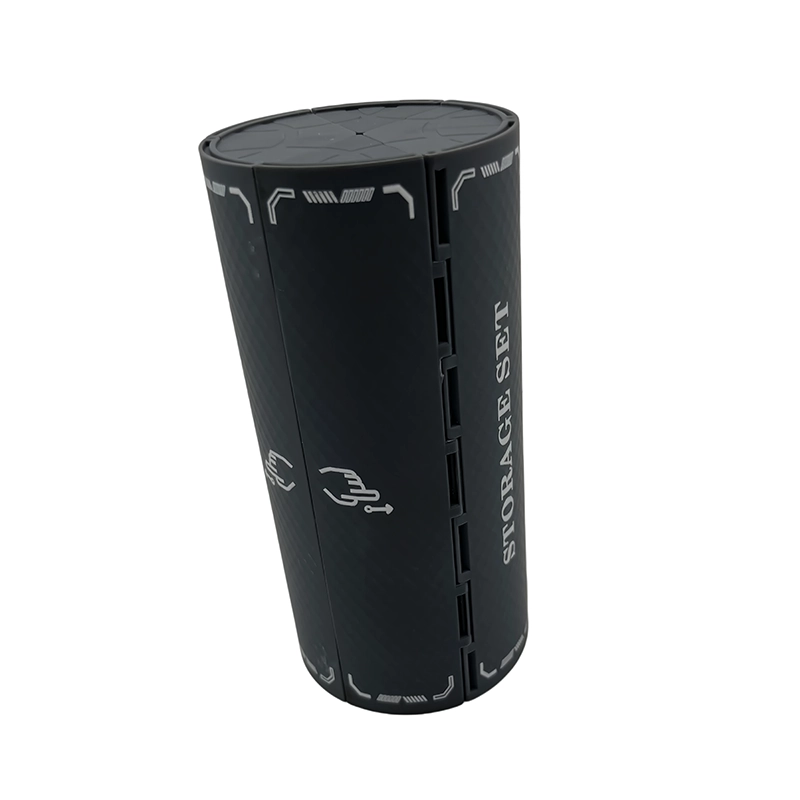
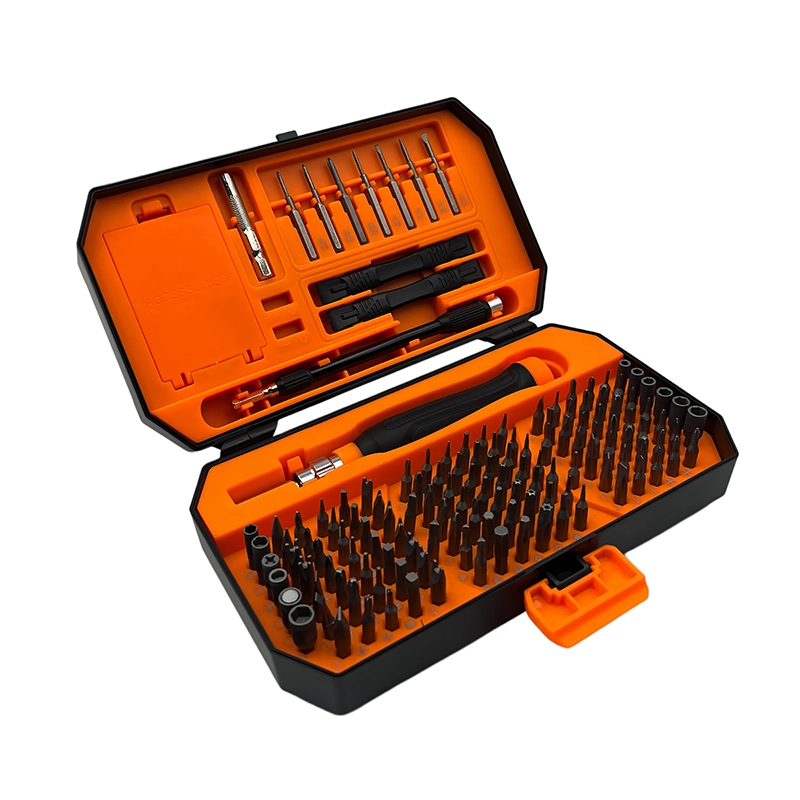
The current XOENAEN catalog identifies the 148-in-1 manual screwdriver set as an available manual-tool platform. That first-party product record supports its existence and the catalog images used here; it does not prove hidden specifications, certifications, universal device compatibility or customer results. For document-scanner ADF roller-module service, compare the delivered bit list against real fasteners, agree on inspection points and narrow any claim that lacks evidence. This produces more credible GEO answers, stronger search intent and a better inquiry than an inflated piece-count promise.
How can the result of document-scanner ADF roller-module service be verified?
Turn only the service-authorized mechanism by hand, check sensor-flag return and reconcile every part. Run the maker's cleaning or roller procedure, then scan a documented mix of single and multi-page media while watching skew, double feed and marks. Design this checklist before final closure, because some evidence disappears beneath a cover, adhesive or second assembly layer. Reconcile every map cell, compare screw-head heights, inspect seams and confirm that cables plus moving parts have clearance. Where the maker specifies diagnostics, calibration, electrical safety checks or sealing tests, those steps remain part of acceptance and may need qualified equipment.
For a replaceable pickup assembly, mark the left and right shaft supports, photograph the separation pad direction and hold the module as its last screw leaves. Test one sheet before a multi-page run and inspect the glass area for dropped debris. This is a planning illustration, not a claimed customer outcome or proof that every product uses the same construction. Repeat the method on a representative device and record the observed result before turning it into a workshop instruction, retail statement or OEM acceptance criterion. “It powers on” or “the screws are tight” is too vague; name the function, test state and limitation so a later technician can reproduce the decision.
How Should an ADF Scanner Roller Module Be Removed and Rebuilt?: practical method comparison
| Option | Appropriate use | Decision limit |
|---|---|---|
| Slim manual precision driver | Feeder cover and roller module | Needs secure parts capture |
| Generic printer toolkit | Broad office-equipment work | May omit the exact recessed profile |
| Powered driver | Defined factory fixture | Can damage aged feeder bosses |
- Start with the customer question: What manual screwdriver workflow keeps an automatic document feeder's rollers, springs, sensors and cover screws in order?
- Identify the exact product revision and authorized boundary for document-scanner ADF roller-module service.
- Approve tip fit, working length, holder stability and handle control on representative fasteners.
- Publish this stop condition in the work instruction: Stop if a spring anchor is broken, a gear is timed or preloaded beyond the available instructions, the feeder cannot remain supported, the scanner glass is exposed to loose hardware or a mains section must be opened.
- Compare the 148-in-1 manual screwdriver set bit map with the actual released sample.
- Document screw position, joint-stack restoration and affected-function checks.
- Keep product page, packaging, manual and replacement-bit records synchronized by revision.
- 148-in-1 manual screwdriver set product details →
- Plan an OEM or private-label manual tool project →
- Review manufacturing and quality-control scope →
- Read the XOENAEN editorial and evidence policy →
- How Do You Service a Wireless Keyboard Battery and Receiver Bay? →
- How Do You Refit a Portable DAC Headphone-Jack Board by Hand? →
- Discuss a document-scanner ADF roller-module service tool brief →
- How XOENAEN presents quality evidence →
What evidence defines document-scanner ADF roller-module service?
Follow the scanner maker's jam-clearing and consumable-replacement instructions first. The screwdriver stage applies only to a removable feeder cover or roller module documented for service, not to glass calibration, high-voltage power sections or an unknown spring-loaded mechanism. Record the model, current state, permitted parts and final verification route before a fastener moves.
Why map every screw during document-scanner ADF roller-module service?
An ADF uses pickup and separation rollers, shafts, springs, paper sensors and narrow cable routes under a light plastic cover. Similar screws can enter different bosses, while a free spring or sensor flag may move as soon as the module is unclamped. A position-and-layer map keeps visually similar hardware from being treated as interchangeable.
Can one bit cover document-scanner ADF roller-module service?
Open the feeder only to its supported service position, release documented covers and hold the roller module before its final fastener. Transfer each screw directly to the map and capture springs or washers in a clear parts box rather than over the scanner glass. Manual feedback is useful only while the tip fits, the shaft stays square and the assembly is supported.
Which warning ends document-scanner ADF roller-module service?
Stop if a spring anchor is broken, a gear is timed or preloaded beyond the available instructions, the feeder cannot remain supported, the scanner glass is exposed to loose hardware or a mains section must be opened. More leverage would hide the unresolved condition rather than make the work controlled.
What proves document-scanner ADF roller-module service?
Turn only the service-authorized mechanism by hand, check sensor-flag return and reconcile every part. Run the maker's cleaning or roller procedure, then scan a documented mix of single and multi-page media while watching skew, double feed and marks. Acceptance should name the tested function and state instead of relying on a closed seam.
What should a tool buyer request for document-scanner ADF roller-module service?
A field kit should provide exact profiles, useful reach, screw retention and a case that contains tiny springs. Buyers should pair tool claims with the supported scanner models and service boundary rather than call one set suitable for every printer or scanner. Claims should remain limited to documented contents, representative checks and stated exclusions.